For an overview of the workgroup deployment, see Deployment Overview
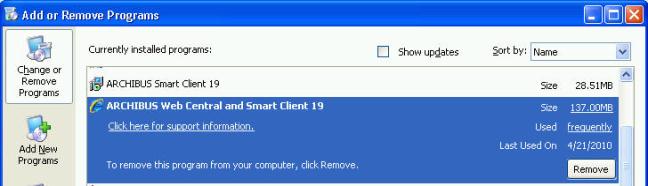
Tip: Both the full ARCHIBUS installation and the Smart Client-only installation appear in the list of installed projects. Uninstalling the full ARCHIBUS installation uninstalls both. The uninstall program prevents you from uninstalling the Smart Client-only so that your workstation will remain in a consistent state.
The full installation uses a folder structure that reconciles the Java and Windows conventions.
| Name | Folder Location | Use |
| Program Folder | c:\Program Files\archibus\xx\
|
Windows executables, including the Smart Client, Jetty application server, Java Runtime Environment, and Sybase Runtime server |
| ARCHIBUS Folder |
|
ARCHIBUS application files, project files, and Java files. |
| Projects Folder |
-or-
|
Used by CAD and BIM workstations to load project drawings and to publish enterprise graphics. |
| Per-Site Schema Folder | …\archibus\schema\per-site\ |
Schema files particular to the current site that the business process owner creates with the View Definition and Dashboard Definition wizards. |
| User Files | …\archibus\projects\users\<this user>\ |
Temporary files for each user, such as reports, Excel extracts, Data Transfer extracts, and legend bitmaps. |
You can change these to suit your deployment, but the typical folders and their uses are below.
| Name | Folder Location | Use |
| Data Folder | ...\hq\data
|
Local databases. |
| Drawing Folder |
|
AutoCAD drawing and Revit model files. |
| Enterprise Graphics Folder |
|
Enterprise graphics files (.json, .swf, .emf) published from the Extensions for AutoCAD and Revit and used by Web Central and the Smart Client. |
| Bitmap Graphics Folder | ...\hq\graphics
|
Bitmap graphics used in forms. |
| User Files | …\archibus\projects\users\<this user>\ |
Temporary files for each user, such as reports, Excel extracts, Data Transfer extracts, and legend bitmaps. |
Except for the projects list, all files that hold values that sites typically configure are in .properties files (which the Package and Deploy Wizard can preserve during upgrades).
| Name | File Location | Use |
| Projects List | …\archibus\WEB-INF\config\afm-projects.xml
|
List of projects hosted on this application server. Edit this list with an editor or with the Smart Client Edit Projects command. |
| Web Central Configuration Files |
|
Properties that control Web Central (such as, mail.properties, security.properties,debug.properties). Edit these with an editor |
| License File |
|
The licenses held by your site. Sites cannot change this file. |
| Smart Client Configuration File | c:\Program Files\archibus\xx\SmartClient\
|
Holds application properties and server-startup properties created by the installation or entered via the Smart Client preferences dialogs. |