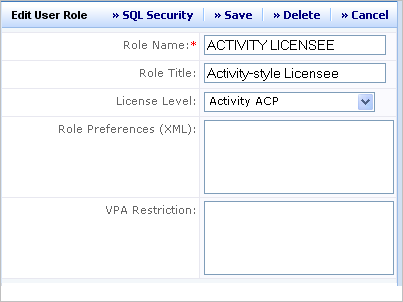
You can set up users for application-style licenses by setting the Role Name to "Application Licensee" in their ARCHIBUS User Profile record. Or, you can set the Role Name to any role that has a License Level of "Application ACP."
ARCHIBUS Administrators edit ARCHIBUS user accounts with this view:
ARCHIBUS Administrators edit ARCHIBUS User Roles with this view:
A user's assigned processes determine the application licenses that are signed out when the user logs in. Each application is comprised of a set of processes. A process is a view of that application that a user of a particular role might need. For example, as shown in the following image, ARCHIBUS Administrators assign department administrators the "DEPARTMENT ADMIN" role that provides access to the "Move Requestor" process. This process enables these users to initiate single or group move requests for their department. The ARCHIBUS Administrator can assign both Process Navigator processes and Dashboard processes.
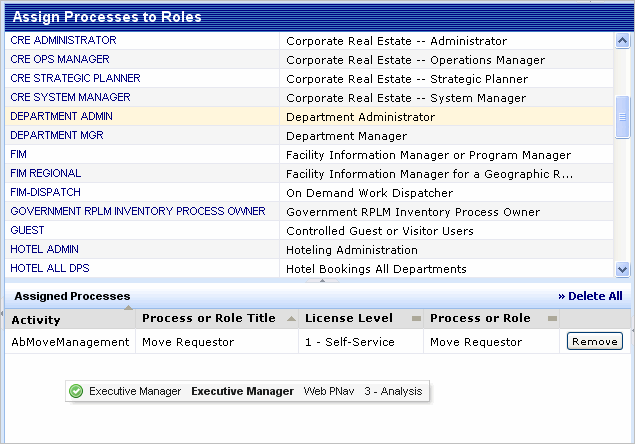
When a user signs into ARCHIBUS, the program looks up that user's role. It then finds all the processes that user is assigned. It then signs out a license for all the applications needed to provide those processes. If there are no more licenses available, the user cannot sign in.
To simplify menus, the Process Navigator and the Dashboard show only those processes assigned to the logged on user. The default demonstration accounts, such as "AFM" or "AI", tend to have many more selections than any single user would see.
ARCHIBUS Administrators assign processes by dragging and dropping them within this view:
Note: The simplest way to assign processes is to assign processes to roles and then assign these roles to users. All users assigned to that role immediately see any changes or additions you make to the role.
Note: Starting with V19.3, the startup automatically unassigns any unlicensed processes from all users and roles. If you want to ensure that ARCHIBUS never alters process assignments for users, your site can control this behavior with the security.removeUnlicensedActivitiesOnStartup in the WEB-INF\security.properties configuration file.