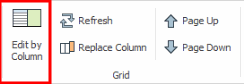
Since the grid window displays many records at one time and these records often contain many fields, you may find that you lose your place when horizontally scanning the values in a record's row. In situations in which you want to focus on the values of one record at a time, you can invoke the Grid / Edit by Column command which displays one record at a time in a pop-up form,.
For example, suppose you want to review the records of the Equipment table one at a time. You can select a record in the grid, choose Grid / Edit by Column, and the Smart Client resizes the grid window and displays the selected record in its own panel for convenient viewing or editing. You can resize the grid window so that the Smart Client has more space for displaying the form.
When you have finished viewing or editing the selected record, use the arrow keys to move through the grid record by record and display each in the panel. You can also click on a record in the grid to have the panel display it.
In the below image, the user has selected the top record in the grid (Equipment 101) and invoked the Edit by Column command. The Smart Client resized the grid window, invoked the form, and displayed equipment 101 in the form.
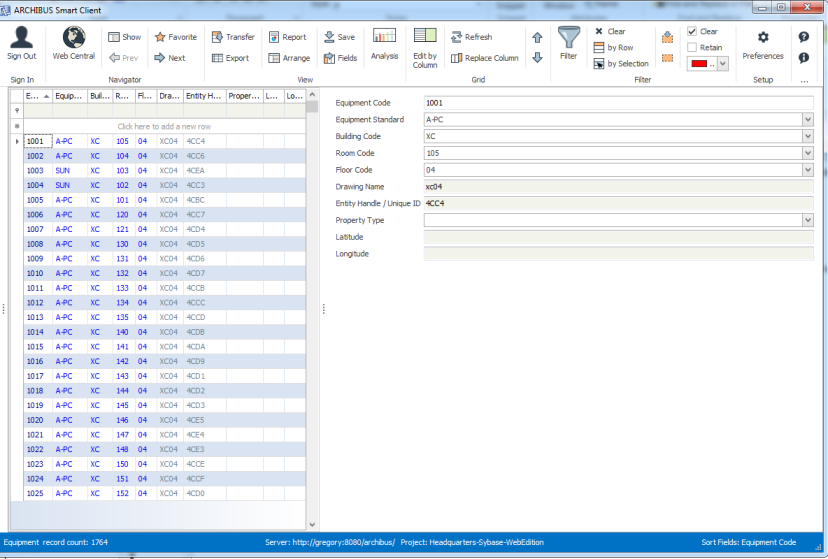
When the view calls for displaying many fields, the command presents the fields in multiple columns in the panel. For example, in the below image the user has used Select Fields to show all fields in the Equipment table, so the Smart Client has generated columns in the panel to accommodate all fields.
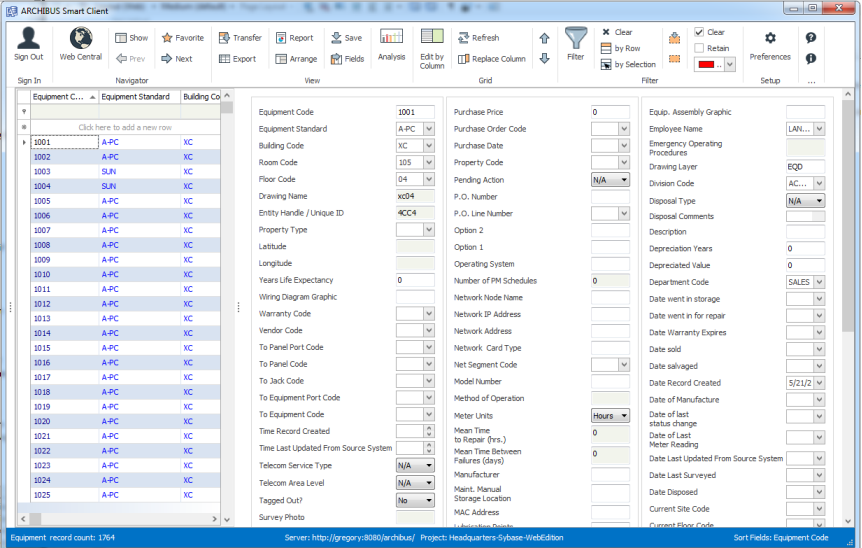
When editing, you will work with the various types of fields as you do when working in grid mode, You save your change by moving off the current record or closing the view.
If you want the view to always display one record at a time, you can save the view with the Edit by Column setting active.
Note: If you are working with a view that has parent and child tables, you cannot invoke the Edit by Column command on the view's grid.
Use these keys to move through the list of records in the grid and display the record in the panel:
| One record at a time | Arrow keys |
| To the last record | CTRL+END |
| To the first record | CTRL+HOME |
You can also use the Grid / Page Up or Page Down commands (available from the Ribbon Toolbar) or the Page Up and Page Down keys to move through the grid.
Toggle the one-record panel off and on by choosing the Grid / Edit by Column command.
| Copyright © 1984-2016, ARCHIBUS, Inc. All rights reserved. |