When reviewing a floor plan displayed by the Telecom Console, you can use these methods to access the details of a particular asset. Querying an asset to determine its properties can be very important before connecting telecom devices.
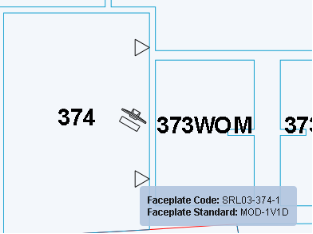
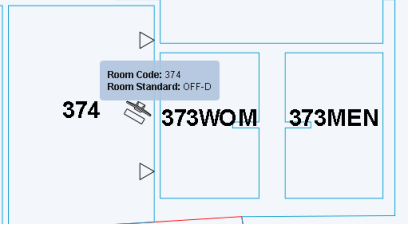
When you hover over an asset on the floor plan, the system displays the asset's identifying key and standard in a pop-up box. For example, you can hover over a room, equipment item, or faceplate, as shown in the below images.
In this image, the drawing does not display the faceplates identifying number, so hovering provides this information:
Here, the floor plan does display the room's number as a label, so you only learn the standard by hovering over:
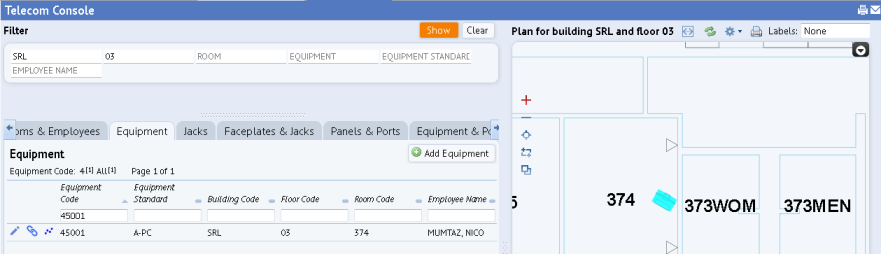
If you need more information on an asset in the floor plan, you can access its record.
Note that is you have maximized the drawing, you will need to display the left-hand pane to see the linked record. You can click the Minimize button (located in the upper right corner of the drawing pane) to have the application window display both the floor plan and the left-hand pane.
 .
.
| Copyright © 1984-2016, ARCHIBUS, Inc. All rights reserved. |