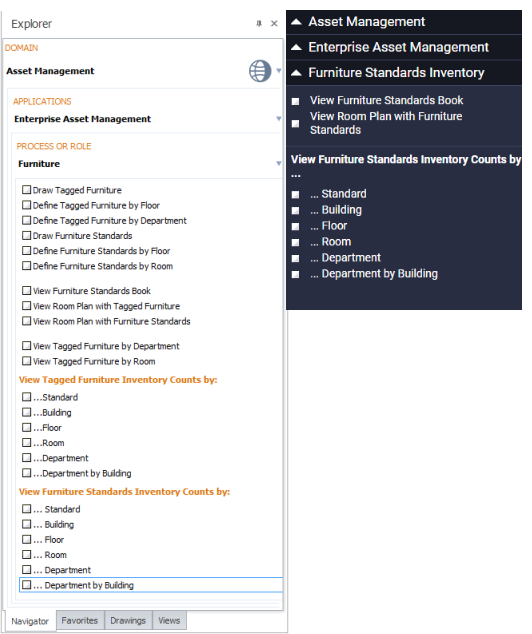
Once your furniture standards inventory is developed, you can use the Furniture process to view the following reports that help you review, analyze, and print your data.
You can generate these reports as paginated reports that include all your assets.
You can access these reports from the Smart Client or Web Central Process Navigator of the Asset Portal, Asset Management, and Enterprise Asset Management applications, or from the Asset Management cloud module.
Working from a comprehensive list of your standards, use an index bar and the Smart Search console to locate a specific standard and review its details. You can print the information for a standard.
Locate a room asset using its floor plan drawing, and then review the furniture and totals for each furniture standard associated with the room.
When you develop an inventory record for each of your furniture items, you may require furniture standard quantity data in terms of standards. This report generates count by standards data by counting the records in the Furniture Standards Inventory table for each furniture standard and storing this data in the Furniture Standards Inventory Count by Standards table. Note that the report's cost value is the cost of furniture according to standard price, not the price paid for particular items.
These reports present furniture standards count data in terms of buildings, floors, rooms, departments, and departments by buildings. When generated, each of these reports determines values for the Furniture Standards Inventory Count by Standards table by counting the records in the Furniture Standards Inventory table for each furniture standard; the reports then present the Furniture Standards Inventory Count by Standards table in terms of the appropriate owner.
| Copyright © 1984-2019, Archibus, Inc. All rights reserved. |