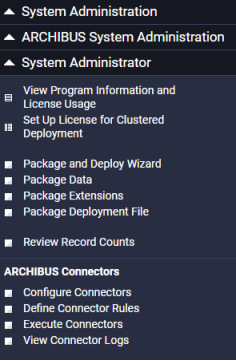
To help you maintain and administer Archibus, Web Central's System Administration / Archibus System Administration / System Administrator role includes the following tasks:
| Task | Description | Help topic |
|---|---|---|
| View Program Information and License Usage | Run this task to access information about your license, and determine the current version of Archibus Web Central. The screen lists the applications and extensions included in your license, and shows the total number of licenses, the number of licenses available, and the licenses currently in use on the server. There is a refresh button to ensure that this information is current. | |
| Set Up License for Clustered Deployment | This is a step in setting up a clustered set of application servers. Using this task, you enter the number of servers per cluster, after which you must restart the application server. |
|
| Package and Deploy Wizard and related tasks | This wizard provides an automated process for migrating your data, extensions, and settings when upgrading to a newer version of Archibus. | See Package and Deploy Wizard: Overview in Archibus System Management Help. |
| Review Record Counts | Informs you of the number of records for each table in the database. This is handy for auditing your databases and compare two databases. | |
| Connectors tasks | Connectors area database-independent means for integrating Archibus with other enterprise systems. | See Connectors: Overview in Archibus System Management Help. |
| Copyright © 1984-2019, Archibus, Inc. All rights reserved. |